
How I can add printers in Savery building ( Läike tee 26 ) ?
This article describes how an employee can independently add printers in the Savery building.
To add a printer, please follow the images indicated below:
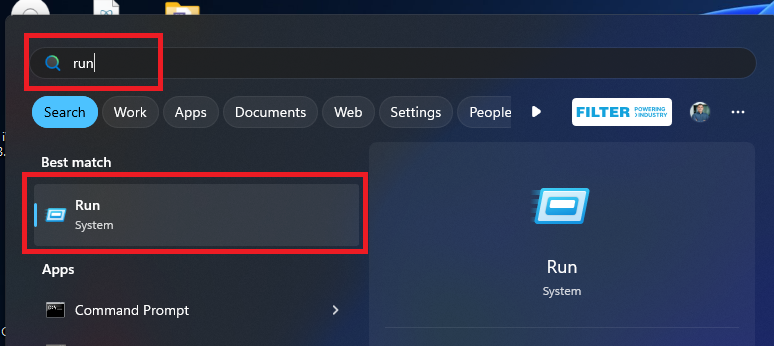
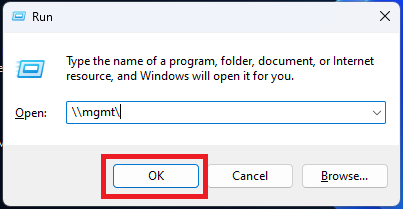
Double click on the printer named Savery Printer - ( A3, A4, color, scanner, copy ).
If for some reason you are unable to install the printer, please open a ticket and the IT department will definitely help you.